ProductConnections
The people you know who know a funder.
Import your board and contacts, and FundFellows shows where they overlap with the trustees foundations list on their tax filings. It drafts the introduction request. You decide whether to ask.
The demo runs on a fictional organization and recorded runs. No sign-up.
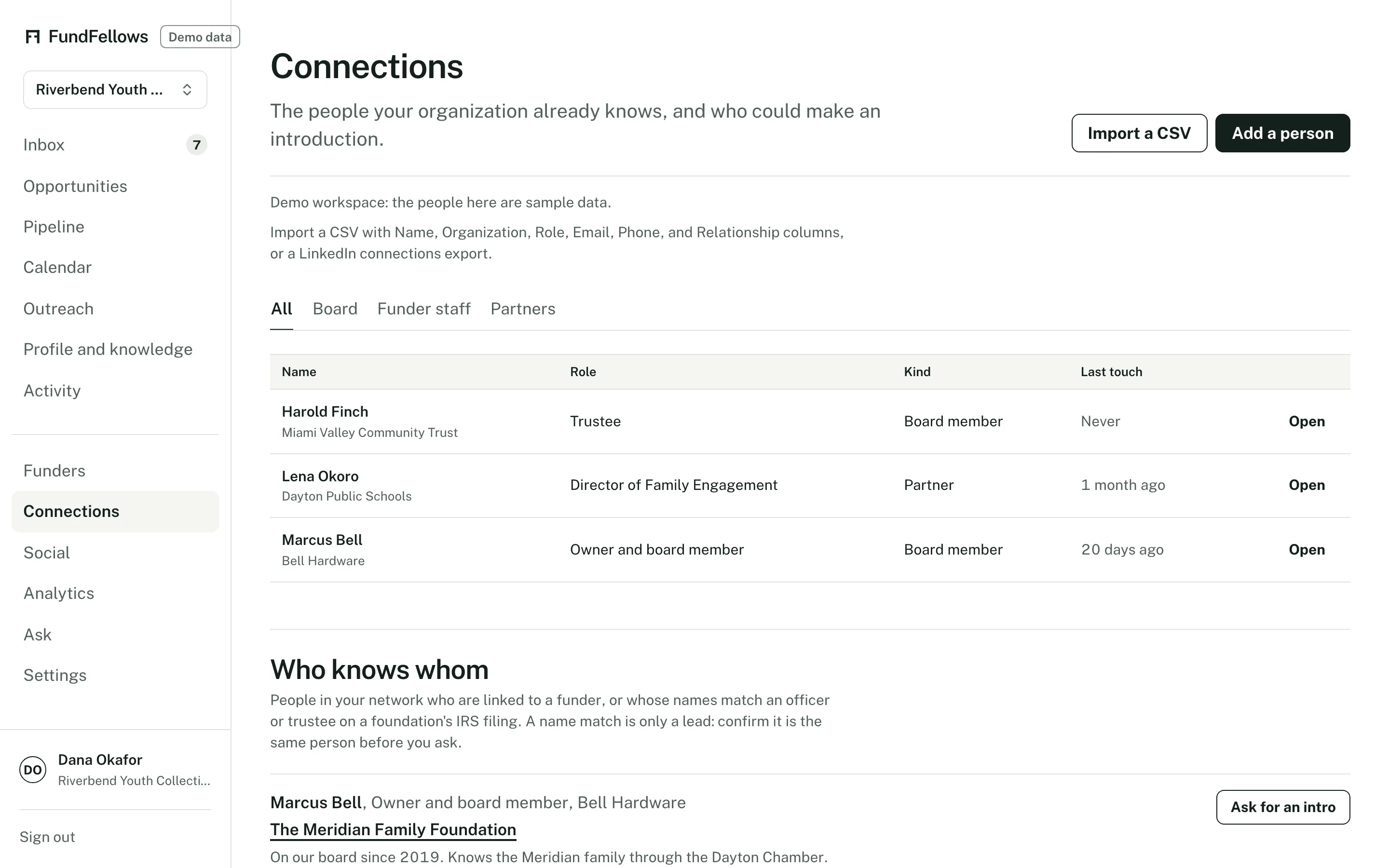
Connections, on demo data. Possible overlaps, each with the filing it came from.
How it works, step by step.
Bring in your people
Upload a CSV of board members and contacts with names, organizations, and roles. Add a note on each relationship: who knows them, and how well.
Compare with foundation trustees
Each 990-PF filing lists the foundation's officers, directors, and trustees. Connections compares those names with your contacts and shows where they may overlap. A matching name is a lead to check, not a confirmed relationship.
See who else a funder supports
Past grantee lists in the filings show peer organizations that share funders with you. That tells you who a foundation already backs, and who you might ask about it.
A request, drafted for you
When a board member may know a trustee, it drafts a short note asking them for an introduction, with the reason this funder fits. You or your board member send it.
The specifics
- Import
- A CSV with one person per row. Name is required. Organization, role, email, and notes are optional.
- Trustee data
- Names and titles of officers, directors, and trustees as listed on each foundation's 990-PF. Compensation is not stored. Filings are often one to two years old, so boards may have changed.
- Peer organizations
- Nonprofits that received grants from the same foundations as the funders on your list, from the grantee lists in the filings.
- Who can see it
- Your contacts stay in your workspace. They are not shared with other customers or used to build anyone else's list.
What it will never do
- Contact anyone on your list.
- Treat a shared name as proof that two people know each other.
- Share your contacts with funders or other customers.
- Buy or sell contact data.
The rest of the product
Or follow one application from start to finish on how it works.
- MatchingGrants, public bids, research funding, foundations, and scholarships from official sources, each scored against your records with reasons you can check.
- Drafting with sourcesLetters, proposals, bid responses, and essays where every claim cites your own records, and every missing fact becomes a question for you.
- Deadlines and calendarMilestones planned backward from each deadline, addenda that move the dates, a year plan, reminders, and a calendar feed.
- OutreachDrafts of the emails around an application, from a question before you apply to a thank-you after. You send each one yourself.
- Win analyticsPatterns in your own logged outcomes: by funder or client, sector, and size. Plain about how little a few outcomes can show.
See it on a sample organization.
Free to start, with no card.
The demo runs on a fictional organization and recorded runs. No sign-up.