ProductMatching
Opportunities you can apply for, with the reasons.
FundFellows searches one opportunity database built from official public sources: federal grants, public bids and contract solicitations, research funding, private foundations, and scholarships. Each match comes with a fit score and the plain reasons behind it.
The demo runs on a fictional organization and recorded runs. No sign-up.
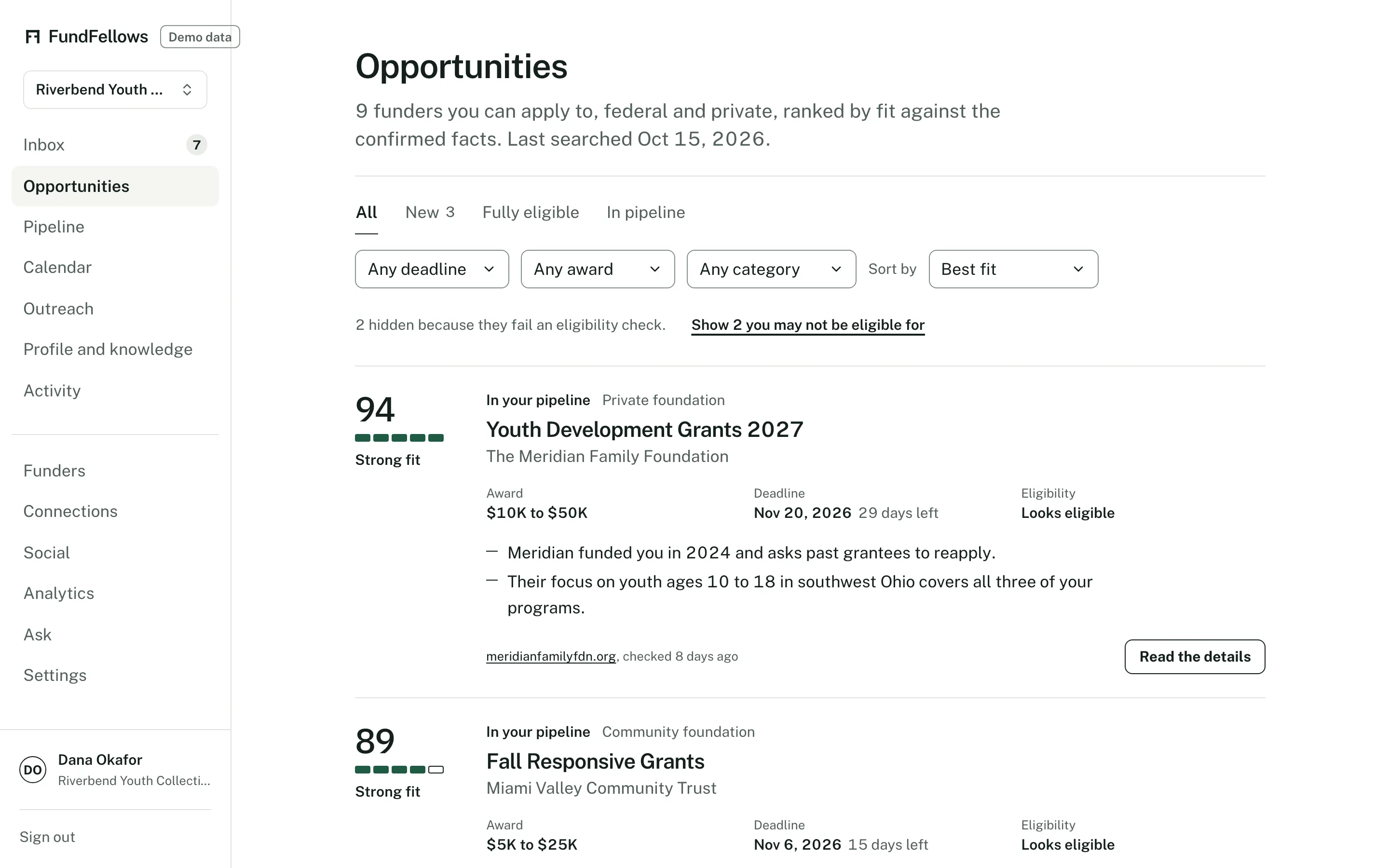
Opportunities, on demo data. Federal notices and foundations in one list, ranked by fit.
How it works, step by step.
It starts from your confirmed records
The search uses what you checked on your profile: what you do, where you work, who you serve, your size, and for a firm, your NAICS codes, certifications, and bonding. Anything you have not confirmed is not used.
One database, from official sources
Grants.gov, SAM.gov contract opportunities and assistance listings, Federal Register funding notices, the NIH Guide, NSF, SBIR.gov, state and city bid portals that publish open data, international public tenders, IRS filings for private foundations, and national scholarships checked by hand. Each source is read on a schedule, and every record links to the official page it came from. The Data page lists them all.
Private foundations from their tax filings
Private foundations file Form 990-PF with the IRS each year, and the filings are public. For foundations in every state that paid grants, the filing shows what they gave to, how much, where their grantees are, and whether they take applications they did not invite.
A score, and the reasons for it
Each match gets a fit score from 0 to 100. Every reason names one of your facts and the line of the notice or filing it relies on. A foundation that only gives to organizations it picks is marked that way, so you do not write to it cold.
You choose what to pursue
Matches wait in the Inbox. Save one, dismiss it, or open its page to read the eligibility checks and the source. A dismissal tells the next search what to leave out. Save a search, by keyword or by NAICS code, region, and set-aside, and run it again any time.
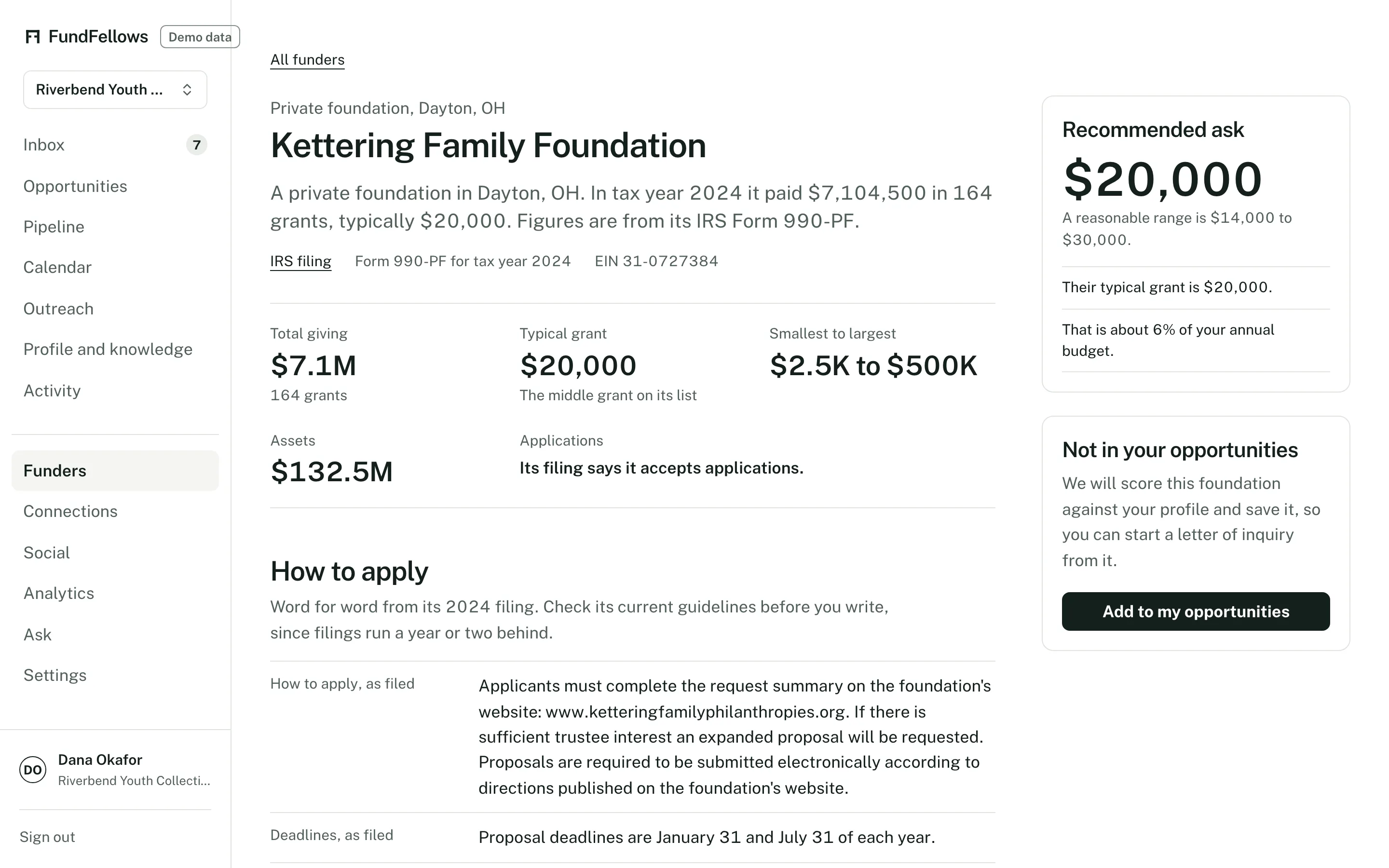
A foundation page, built from its most recent 990-PF filing. Demo data.
The specifics
- Where opportunities come from
- Official public sources only, each with its license and a link, listed on the Data page with how often each is read. Grants.gov and SAM.gov are read daily. Past award data from USAspending.gov, NIH, and NSF is kept as totals and typical sizes, never who won a contract.
- What a foundation page shows
- Giving focus, typical grant size, where grantees are located, past grantees, the trustees listed on the filing, whether it accepts unsolicited applications, and its application instructions as filed.
- Eligibility checks
- Applicant type, location, and size limits are checked against your profile. When a rule cannot be checked automatically, the page says so instead of guessing. A pass reads "Looks eligible", because automated checks can be wrong.
- How current it is
- Every notice shows its link and the date we last checked it. Every foundation figure shows the tax year it covers, often one to two years back. Read a foundation's current guidelines before you apply.
- Coverage limits
- State and local bids come from the seven portals that publish open data and allow reuse. Many state portals do not, so coverage is uneven, and any RFP can be uploaded or linked. NASA's own solicitation site has no feed, so NASA notices arrive through Grants.gov.
- Cost
- Searching the opportunity database never counts against the monthly allowance of AI work.
What it will never do
- Name a funder or a buyer that is not in a public source.
- Rank a notice whose eligibility rules leave you out.
- Describe a foundation's interests beyond what it filed.
- Show who won a past contract.
- Contact a funder or an agency, or start an application for you.
- Share your profile with funders, or sell it to anyone.
The rest of the product
Or follow one application from start to finish on how it works.
- Drafting with sourcesLetters, proposals, bid responses, and essays where every claim cites your own records, and every missing fact becomes a question for you.
- Deadlines and calendarMilestones planned backward from each deadline, addenda that move the dates, a year plan, reminders, and a calendar feed.
- OutreachDrafts of the emails around an application, from a question before you apply to a thank-you after. You send each one yourself.
- ConnectionsBoard and contact import, overlap with foundation trustees from 990-PF filings, peer organizations that share your funders, and intro request drafts.
- Win analyticsPatterns in your own logged outcomes: by funder or client, sector, and size. Plain about how little a few outcomes can show.
See it on a sample organization.
Free to start, with no card.
The demo runs on a fictional organization and recorded runs. No sign-up.