ProductDrafting with sources
Drafts that show where every claim came from.
FundFellows writes letters of inquiry, full proposals, bid responses, research proposals, and scholarship essays from the records you confirmed and the funder's or agency's own text. When a fact is missing, the draft asks you for it.
The demo runs on a fictional organization and recorded runs. No sign-up.
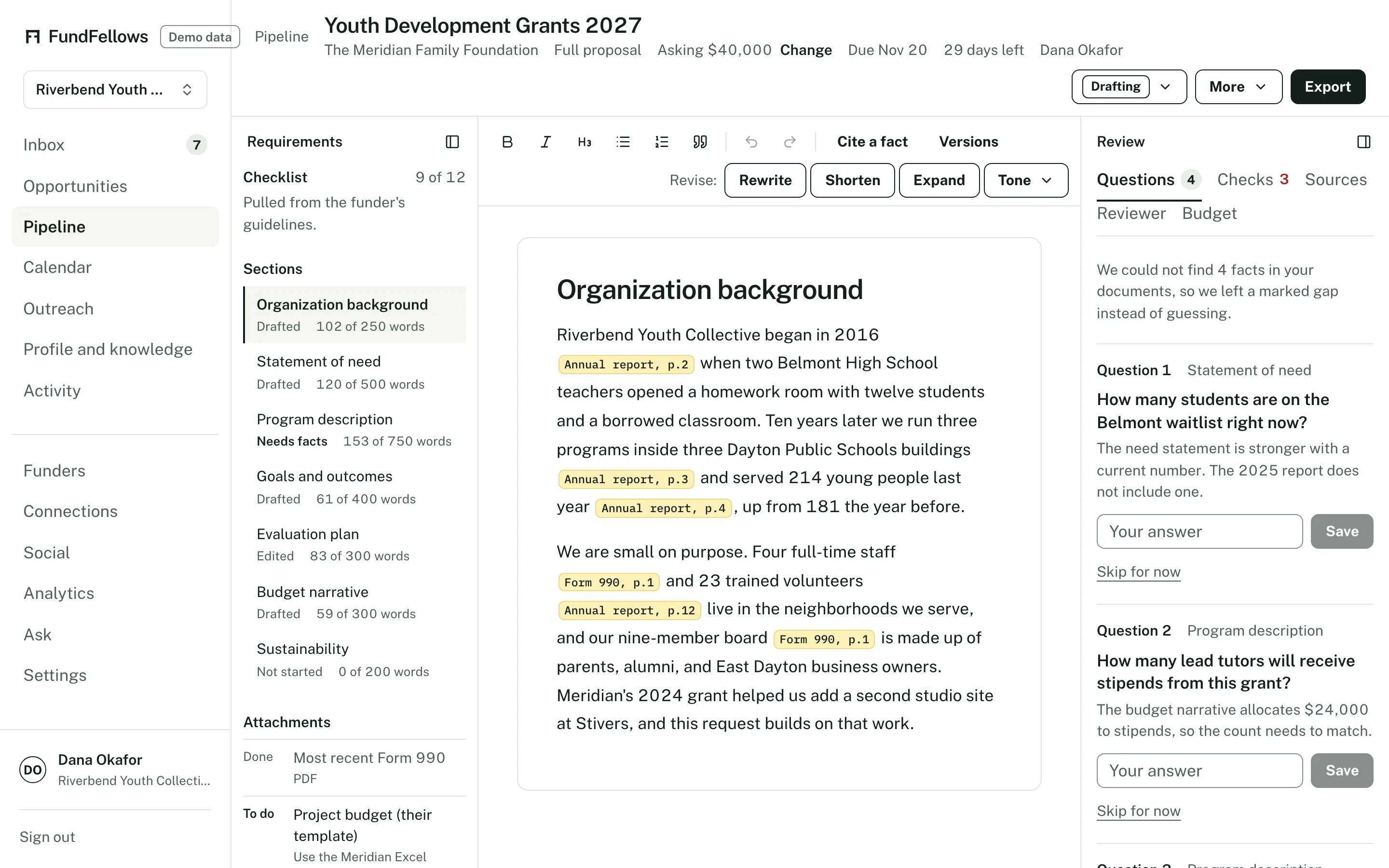
The proposal workspace, on demo data. Citations inline, questions on the right.
How it works, step by step.
Pick an opportunity and a format
A letter of inquiry or a full proposal for a funder, a bid response or an SF 330 for a solicitation, a research proposal, or a scholarship essay. When the notice lists required sections, the draft follows them in order.
It reads your sources first
Your confirmed facts, the documents you uploaded (an annual report, a 990, project sheets, résumés, an old proposal, a budget), and the notice, solicitation, or filing. The reading view shows each passage it used, so you can see what the draft is built on.
Every claim carries a citation
A small marker beside each sentence opens the record it relies on and the passage where it came from. You can check any line in two clicks.
Gaps become questions
If a section needs a number you have not given, such as how many students you served last year or the size of a past project, the draft leaves a marked gap and adds a question to the side panel. Answer it once and it becomes a confirmed fact for every later draft.
Checks run before you see it
Code checks each citation against its source and each number against your records. Compliance checks look for page and word limits, required sections, and listed attachments. A reviewer check reads the draft as a program officer or a selection board might and lists what is weak.
Budget, then export
The budget builder lays out line items and a short budget narrative from your numbers. When you are done, export to Word or PDF and submit it through the funder's or agency's portal yourself.
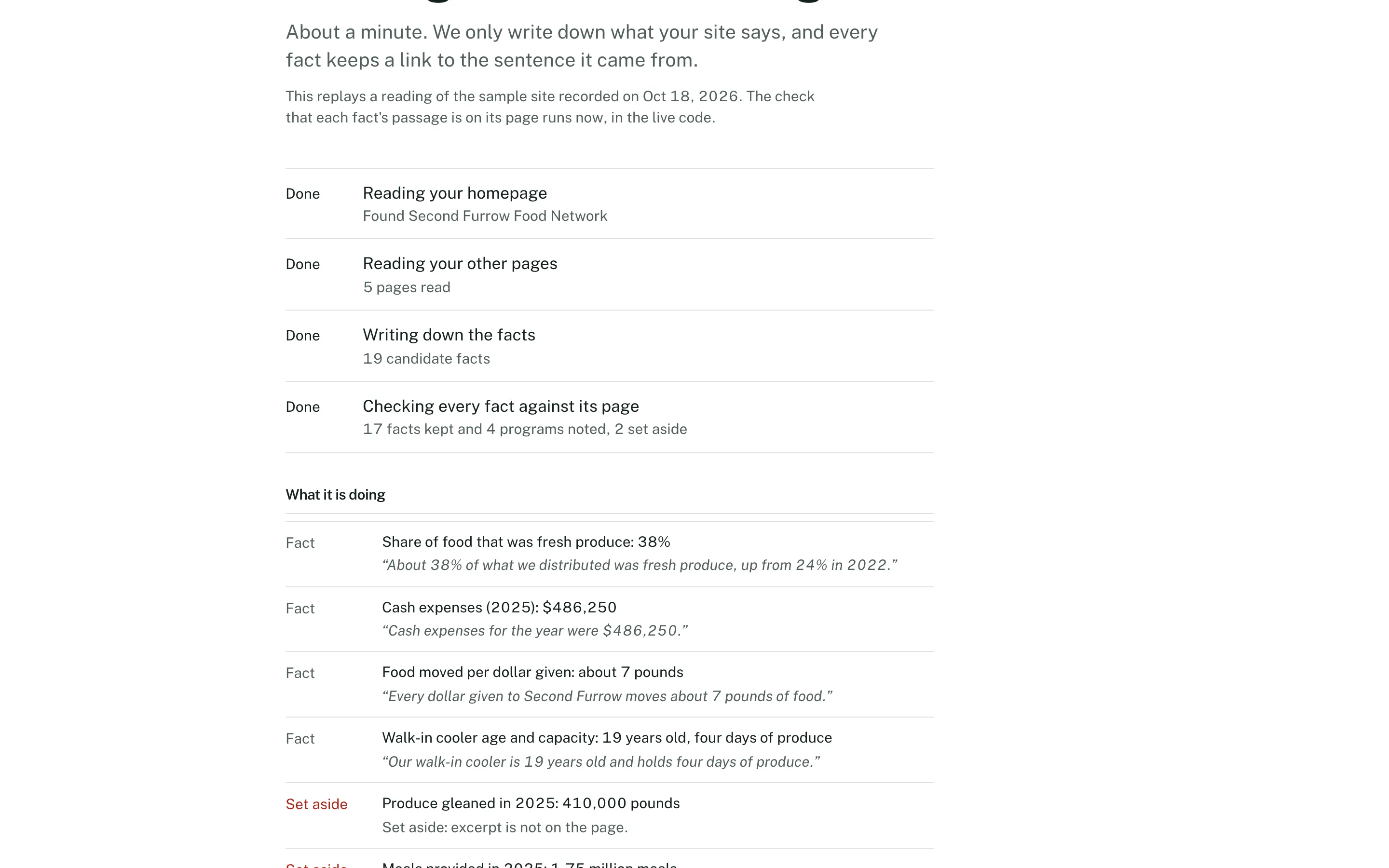
Reading a website: every fact keeps the passage it came from. Demo data.
The specifics
- Formats
- Letter of inquiry. Full proposal with the sections the funder asks for. Bid response and SF 330, Part I and Part II. Research proposal in the standard sections. Scholarship essay. Budget table with a budget narrative.
- What a draft may use
- Facts you confirmed, documents you uploaded, and the notice, solicitation, or filing. Nothing else. Your profile can hold a short note about your voice.
- Checks
- Citation check, number check, compliance check for limits and required sections, and reviewer notes. A failed check becomes a marked gap, not a silent fix.
- Export
- Word and PDF. An unanswered gap is printed as a clear marker so it cannot slip through to a funder.
- Cost
- Free during early access. Each workspace can make 50 drafts a month. Reading documents, scoring matches, and edits share a separate allowance of 400 AI steps.
What it will never do
- Invent a number, a quote, an outcome, a project, or a partner.
- Fill a gap with a plausible guess. It asks you.
- Use a fact you have not confirmed.
- Submit an application or a bid. You submit it through the funder's or agency's portal.
The rest of the product
Or follow one application from start to finish on how it works.
- MatchingGrants, public bids, research funding, foundations, and scholarships from official sources, each scored against your records with reasons you can check.
- Deadlines and calendarMilestones planned backward from each deadline, addenda that move the dates, a year plan, reminders, and a calendar feed.
- OutreachDrafts of the emails around an application, from a question before you apply to a thank-you after. You send each one yourself.
- ConnectionsBoard and contact import, overlap with foundation trustees from 990-PF filings, peer organizations that share your funders, and intro request drafts.
- Win analyticsPatterns in your own logged outcomes: by funder or client, sector, and size. Plain about how little a few outcomes can show.
See it on a sample organization.
Free to start, with no card.
The demo runs on a fictional organization and recorded runs. No sign-up.